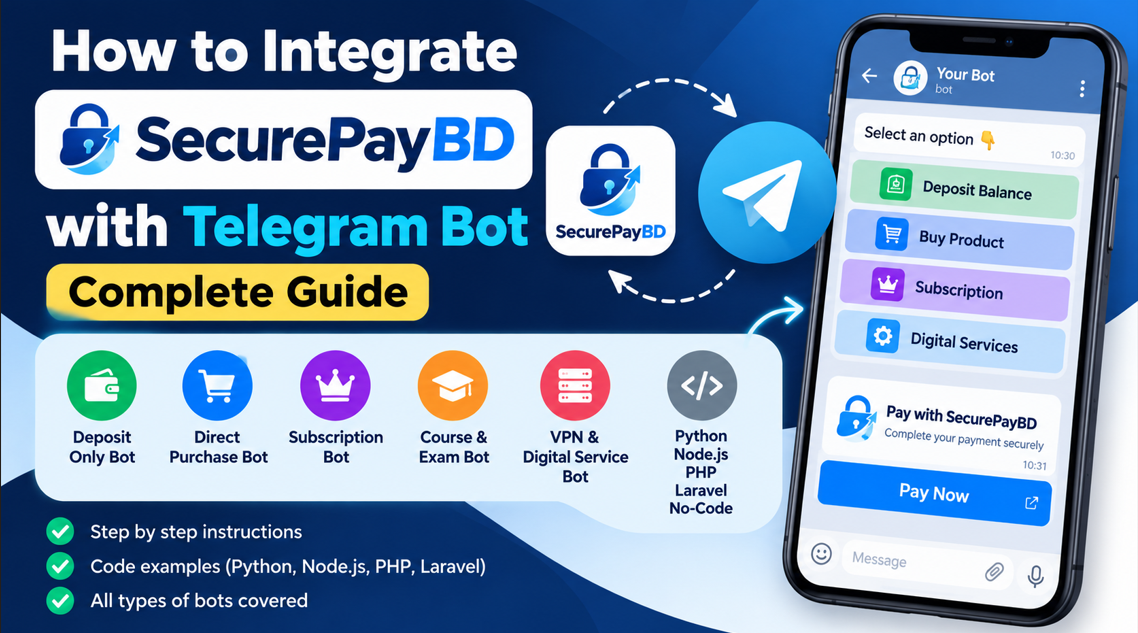
Telegram bots are widely used for selling digital products, managing subscriptions, accepting deposits, and automating online services. However, manually checking every payment can become difficult when a bot has many users.
SecurePayBD allows developers to integrate payment automation into their Telegram bots. With the API, your bot can generate payment links, verify transactions, and automatically perform actions after successful payments.
This guide explains how to integrate SecurePayBD with different Telegram bot types, including deposit-only bots, direct purchase bots, wallet-based shops, subscription bots, and digital service bots. It also covers Python, Node.js, PHP, Laravel, and compatible no-code platforms.
Official website:https://securepaybd.xyz
API documentation:SecurePayBD Developer Documentation
1. How SecurePayBD Integration Works
The basic integration process is similar for most Telegram bots.
- The user selects a product, deposit amount, or subscription.
- The bot creates a pending order or deposit in its database.
- The backend sends a payment creation request to SecurePayBD.
- SecurePayBD returns a payment URL.
- The bot sends the payment URL to the user through a Telegram button.
- The user completes the payment.
- The backend verifies the transaction.
- The bot credits the wallet, delivers the product, or activates the subscription.
The action performed after payment depends on the type of bot. A deposit bot adds funds to a wallet, while a direct purchase bot fulfils an order.
2. Requirements Before Integration
Before starting, prepare the following:
- A Telegram bot created using @BotFather.
- A SecurePayBD merchant account.
- Your SecurePayBD API key.
- A backend written in Python, Node.js, PHP, Laravel, or another compatible language.
- A database for users, orders, deposits, and transaction statuses.
- A public HTTPS endpoint if you want to receive payment webhooks.
Getting Your API Key
Log in to your SecurePayBD dashboard and locate the relevant website or brand configuration. Obtain the API key associated with your integration and store it securely on your server.
SecurePayBD API requests use the API-KEY HTTP header. Never publish your real API key in a public repository or expose it in client-side code.
For the latest requirements, refer to the official developer documentation.
3. SecurePayBD API Endpoints
The following endpoints are used in the standard integration described in this guide.
- Create payment: POST https://pay.securepaybd.xyz/api/create
- Verify payment: POST https://pay.securepaybd.xyz/api/verify
Payment creation uses the API key, amount, currency, callback URLs, and any supported customer or metadata fields. A successful response contains a payment URL that can be sent to the Telegram user.
Example Payment Request
{
  "amount": "200",
  "currency": "BDT",
  "success_url": "https://example.com/payment/success",
  "cancel_url": "https://example.com/payment/cancel",
  "cus_name": "Telegram Customer",
  "metadata": {
    "order_id": "1052",
    "telegram_id": "123456789"
  },
  "webhook_url": "https://example.com/payment/webhook"
}
Replace the example URLs and identifiers with your own. The callback URLs must point to routes implemented by your application.
4. Integrating SecurePayBD with a Deposit-Only Bot
A deposit-only bot allows users to add funds to an internal wallet. Users can spend that balance later to buy products or services.
For example, a user wants to deposit 200 BDT. The bot creates a pending deposit, generates a SecurePayBD payment URL, and sends the user a payment button.
After the transaction is verified, the backend credits the user's balance.
Step 1: Save the Deposit
Store a deposit record containing a unique deposit ID, Telegram user ID, expected amount, payment reference, and pending status. Save this record before creating the payment link.
Step 2: Create the Payment
Send a POST request to the SecurePayBD create endpoint with the deposit amount and a unique reference in the metadata. When the API returns a successful response, extract the returned payment URL.
Step 3: Send a Payment Button
In an aiogram bot, you can display the returned URL with an inline keyboard.
from aiogram.types import InlineKeyboardMarkup
from aiogram.types import InlineKeyboardButton

def payment_keyboard(payment_url):
    return InlineKeyboardMarkup(
        inline_keyboard=[
            [
                InlineKeyboardButton(
                    text="Pay with SecurePayBD",
                    url=payment_url
                )
            ]
        ]
    )
Send the keyboard with a message containing the deposit amount and payment instructions. The payment URL must come from the SecurePayBD API response.
Step 4: Verify and Credit the Deposit
After receiving a transaction ID, your backend can call the verification endpoint:
POST https://pay.securepaybd.xyz/api/verify
Include the transaction ID in the JSON request and the API key in the request header. Only credit the deposit when the verified status is COMPLETED and the transaction matches the expected amount and deposit record.
Use a safe database transaction or an atomic status update to prevent the same payment from crediting the wallet more than once.
5. Integrating SecurePayBD with a Direct Purchase Bot
A direct purchase bot allows customers to pay for a product without depositing funds into an internal wallet first.
For example, a digital product costs 150 BDT. The user selects the product and presses Buy Now. The bot creates a pending order and generates a SecurePayBD payment link for the product price.
After successful verification, the backend marks the order as paid and delivers the product.
Direct Purchase Workflow
- Load the product price from your database.
- Create an order with pending status.
- Generate a SecurePayBD payment link for the order amount.
- Send the checkout URL to the user.
- Verify the transaction after payment.
- Mark the order as paid and deliver the product.
For digital products, delivery may involve sending a download link, license key, or service credentials. For physical products, the bot can update the order and notify the fulfillment team.
Never deliver a product just because the user visits the success URL. Verify the transaction on your server first.
6. Supporting Both Deposits and Direct Purchases
A Telegram shop can support both wallet deposits and direct purchases through SecurePayBD. This gives users the choice to add funds for future purchases or pay for an individual product immediately.
Both options can use the same payment creation and verification functions, but their database records and fulfillment actions should remain separate.
| Feature | Deposit | Direct Purchase |
|---|---|---|
| Database record | Pending deposit | Pending order |
| Payment amount | User-selected amount | Server-calculated product price |
| After verification | Credit wallet | Fulfil order |
| Immediate product delivery | Usually no | Yes, if available |
| Duplicate processing protection | Required | Required |
Do not use a single payment-success handler that always credits the wallet. Your application must identify whether the payment belongs to a deposit or a product order before performing the next action.
7. Integrating SecurePayBD with Subscription Bots
Subscription bots sell access to premium channels, private groups, memberships, online tools, or other services for a specific period.
When a user selects a subscription plan, the bot creates a pending order containing the plan and price. It then generates a SecurePayBD payment URL.
After the transaction is verified, the backend activates the subscription and stores its start date, expiry date, and status.
If the bot manages access to a private Telegram group, it can use the appropriate Telegram membership-management methods, provided the bot has the necessary permissions.
A one-time payment should not be treated as automatic recurring billing unless recurring payments are supported by the payment setup and explicitly implemented in the application.
8. Integrating SecurePayBD with Course and Exam Bots
Educational bots can sell courses, practice exams, question banks, or premium learning resources.
The bot creates a pending order for the selected course or exam and sends a SecurePayBD payment link. After verification, the backend grants access to the purchased content.
Store the course or exam ID in the order record so the system grants access only to the resource the customer purchased. For time-limited access, store and check the expiry date.
9. Integrating SecurePayBD with VPN, Proxy, and Digital Service Bots
VPN, proxy, hosting, and other digital service bots can use SecurePayBD to automate payment collection and service delivery.
- The user selects a service or package.
- The bot creates a pending order.
- The backend generates a SecurePayBD payment URL.
- The user completes checkout.
- The backend verifies the transaction.
- The order is marked as paid.
- The bot provisions the service or delivers the purchased credentials.
If an external service API fails temporarily, keep the payment record and retry the provisioning process without charging the customer again.
10. Integrating SecurePayBD with Python Bots
Python developers commonly use aiogram or python-telegram-bot. An HTTP client such as aiohttp can communicate with SecurePayBD.
Install the required HTTP client:
pip install aiohttpFor an aiogram bot, install aiogram as well if it is not already installed.
Use an asynchronous HTTP request to create the payment, read the returned payment URL, and send it through a Telegram inline button. Use the verification endpoint to confirm the transaction before fulfilling the request.
The complete implementation must include database storage, callback handling, error handling, and duplicate-processing protection.
11. Integrating SecurePayBD with Node.js Bots
Node.js developers can use Telegraf or another Telegram bot framework. Modern Node.js versions provide a built-in fetch function for sending HTTP requests.
async function createPayment(apiKey, amount, orderId) {
  const response = await fetch(
    "https://pay.securepaybd.xyz/api/create",
    {
      method: "POST",
      headers: {
        "Content-Type": "application/json",
        "API-KEY": apiKey
      },
      body: JSON.stringify({
        amount: String(amount),
        currency: "BDT",
        success_url: "https://example.com/payment/success",
        cancel_url: "https://example.com/payment/cancel",
        metadata: {
          order_id: String(orderId)
        },
        webhook_url: "https://example.com/payment/webhook"
      })
    }
  );

  if (!response.ok) {
    throw new Error("Payment API request failed");
  }

  const data = await response.json();

  if (data.status !== 1 || !data.payment_url) {
    throw new Error("Payment creation failed");
  }

  return data.payment_url;
}
Send the returned URL using your Telegram framework's inline URL button. Save the pending order before creating the payment and implement server-side verification before delivering a product or crediting a wallet.
12. Integrating SecurePayBD with PHP Bots
PHP developers can use cURL to make requests to SecurePayBD. The following example shows the main request structure.
<?php

$apiKey = getenv('SECUREPAY_API_KEY');

$payload = [
    'amount' => '150',
    'currency' => 'BDT',
    'success_url' => 'https://example.com/payment/success',
    'cancel_url' => 'https://example.com/payment/cancel',
    'metadata' => [
        'order_id' => '5001',
        'telegram_id' => '123456789'
    ],
    'webhook_url' => 'https://example.com/payment/webhook'
];

$ch = curl_init(
    'https://pay.securepaybd.xyz/api/create'
);

curl_setopt_array($ch, [
    CURLOPT_RETURNTRANSFER => true,
    CURLOPT_POST => true,
    CURLOPT_POSTFIELDS => json_encode($payload),
    CURLOPT_HTTPHEADER => [
        'API-KEY: ' . $apiKey,
        'Content-Type: application/json'
    ],
    CURLOPT_CONNECTTIMEOUT => 10,
    CURLOPT_TIMEOUT => 30
]);

$response = curl_exec($ch);
$httpCode = curl_getinfo($ch, CURLINFO_HTTP_CODE);

if ($response === false) {
    $error = curl_error($ch);
    curl_close($ch);
    throw new RuntimeException($error);
}

curl_close($ch);

if ($httpCode < 200 || $httpCode >= 300) {
    throw new RuntimeException(
        'SecurePayBD HTTP error: ' . $httpCode
    );
}

$data = json_decode($response, true);

if (
    !is_array($data) ||
    ($data['status'] ?? 0) != 1 ||
    empty($data['payment_url'])
) {
    throw new RuntimeException(
        $data['message'] ?? 'Payment creation failed'
    );
}

$paymentUrl = $data['payment_url'];
The returned payment URL can be sent to the Telegram user through an inline keyboard. Replace the example order data and callback URLs with values from your application.
13. Integrating SecurePayBD with Laravel
Laravel developers can use the built-in HTTP client to create a payment.
use Illuminate\Support\Facades\Http;

$response = Http::withHeaders([
    'API-KEY' => config('services.securepaybd.key'),
])->post('https://pay.securepaybd.xyz/api/create', [
    'amount' => (string) $order->total,
    'currency' => 'BDT',
    'success_url' => route('payments.success'),
    'cancel_url' => route('payments.cancel'),
    'metadata' => [
        'order_id' => (string) $order->id,
        'telegram_id' => (string) $telegramUserId,
    ],
    'webhook_url' => route('payments.webhook'),
]);

$response->throw();

$data = $response->json();

if (($data['status'] ?? 0) != 1 ||
    empty($data['payment_url'])) {
    throw new RuntimeException('Payment creation failed');
}

$paymentUrl = $data['payment_url'];
Store the API key in secure server-side configuration. Implement the callback routes and database updates in your application, and verify the payment before activating the order.
14. Using SecurePayBD with No-Code Bot Builders
Some no-code Telegram bot platforms support external API requests, URL buttons, webhooks, and database actions. If your platform supports these features, you may be able to integrate SecurePayBD without writing a complete bot backend.
Your platform needs to support the following:
- Sending POST requests with JSON.
- Adding the API-KEY header securely.
- Reading the payment_url from the API response.
- Displaying a URL button in Telegram.
- Receiving payment notifications or calling a server-side verification endpoint.
- Updating the order or user record after verification.
If your platform cannot store credentials securely or verify payments on the server, use a separate backend service to handle the integration.
15. Payment Verification and Webhooks
A success URL and a payment webhook serve different purposes.
The success URL is where the customer returns after checkout. It can display a message such as “Checking your payment,” but it should not automatically credit a wallet or deliver a product.
A webhook is a server-to-server notification sent to your application when a payment event occurs. Your server should validate the event and verify the transaction according to the SecurePayBD API requirements.
The verification endpoint is:
POST https://pay.securepaybd.xyz/api/verify
Send the transaction ID in the JSON request and include your API key in the API-KEY header. Only process the payment as successful when the verified transaction status is COMPLETED.
Match the transaction to a pending order or deposit, verify the expected amount, and prevent duplicate processing. Check the official API documentation for the current webhook payload and response format.
16. Security Best Practices
- Keep the API key on the server and never publish it.
- Use HTTPS for public callback and webhook URLs.
- Verify payments server-side before fulfilling orders.
- Use unique references for deposits and purchases.
- Match the verified amount with the expected order amount.
- Prevent the same transaction from being processed twice.
- Keep wallet deposits and direct purchases separate.
- Do not treat pending or unknown statuses as successful payments.
- Record payment events and errors without logging sensitive credentials.
- Validate incoming webhook events and follow the verification requirements in the official documentation.
17. Common Integration Errors
Invalid API Request
Check the endpoint, HTTP method, required fields, JSON format, and API key. Make sure the key belongs to the correct SecurePayBD configuration.
Payment URL Not Generated
Check the HTTP status code and API response. Verify that the amount and callback URLs are valid and that your server can connect to SecurePayBD.
Payment Completed but the Bot Does Not Update
Check the transaction ID, verification response, webhook logs, and pending order record. Make sure the transaction is linked to the correct user and order.
Duplicate Wallet Credit
Use an atomic database update so that only a pending deposit can be processed. Ensure that repeated webhook requests cannot credit the same transaction more than once.
Webhook Not Working
Confirm that the webhook URL is publicly accessible over HTTPS, accepts POST requests, and is configured correctly in the payment request. Review your hosting logs for incoming requests and errors.
18. Testing Before Launch
Test each payment flow separately before accepting real customer payments.
- Create a pending deposit or order.
- Generate a SecurePayBD checkout URL.
- Complete a payment and verify the transaction.
- Confirm that a deposit credits the correct wallet.
- Confirm that a direct purchase delivers the correct product.
- Confirm that cancelled or pending payments do not trigger fulfillment.
- Test duplicate webhook events and repeated verification requests.
- Test API timeouts and invalid responses.
- Confirm that Telegram notifications are sent correctly.
Start with an appropriate low-value transaction when testing the live setup, and reconcile the result with your SecurePayBD dashboard and application database.
Frequently Asked Questions
Can I integrate SecurePayBD with an existing Telegram bot?
Yes. If your bot has a backend that can send HTTP requests, store orders, and process verified payment results, you can add SecurePayBD without necessarily rebuilding the entire bot.
Can I add SecurePayBD to an existing deposit menu?
Yes. Create a payment link after the user enters the deposit amount, then credit the wallet only after successful verification. You can keep your existing manual deposit methods if required.
Can I sell products directly without a wallet?
Yes. Create an order for the selected product, generate a SecurePayBD payment URL for its price, and deliver the product after the transaction is verified.
Can one bot support both deposits and direct purchases?
Yes. Use the same payment API while maintaining separate deposit and order records. The post-payment action must depend on the purpose of the transaction.
Can I integrate SecurePayBD with Python, Node.js, PHP, and Laravel?
Yes. The REST API can be called from any compatible backend language. The framework-specific code differs, but the payment creation and verification process remains similar.
Do I need a webhook?
Not always. Your backend can verify a transaction when the customer returns to the success page. A webhook can provide server-to-server payment notifications, especially when the customer does not return to Telegram.
Where can I find the official API documentation?
Visit the SecurePayBD Developer Documentation for the current endpoints, authentication requirements, request fields, and response formats.
Conclusion
SecurePayBD can help developers automate payments in many kinds of Telegram bots, including deposit systems, digital shops, subscription services, educational bots, and other online services.
The important part is to implement the correct action after payment. Deposit bots credit a wallet, direct purchase bots fulfil orders, and subscription bots activate access. A bot that supports several payment types can share payment creation and verification code while keeping its business logic separate.
Start with the SecurePayBD developer documentation, implement the flow that fits your project, and test the complete process before accepting customer payments.
Website:https://securepaybd.xyz
Developer documentation:https://securepaybd.xyz/developers/docs